Framework 13 Initial Impressions
I've just unboxed and set up the Framework 13. Here are my initial impressions.
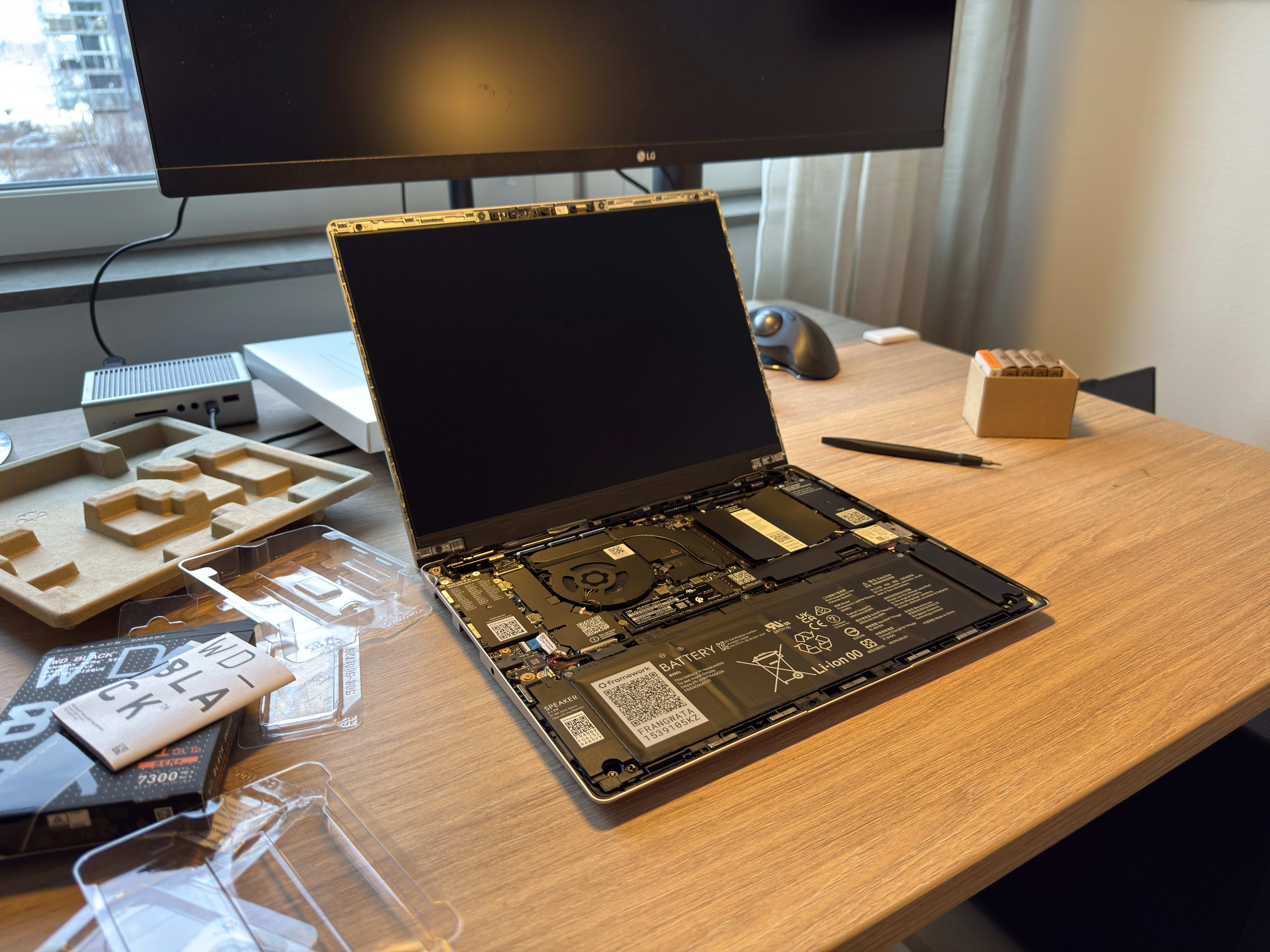
At Fosdem, I saw a lot of Framework laptops. I had been keeping an eye on the brand for a while, and even ordered a laptop at one point, only to return it before receiving it. This time though, I pulled the trigger and didn't get cold feet. Now it's here, and I thought I'd give my initial thoughts after using it for a few days.
Configuration
The ordering process was easy. You simply follow their wizard on their website. You decide whether you want the AMD CPU or the Intel one, and then you specify each part of the laptop. Very similar to ordering a Macbook. I opted for the following specification:
- CPU: AMD Ryzen™ AI 9 HX 370
- Memory: DDR5-5600 - 32GB (2 x 16GB)
- Storage: WD_BLACK™ SN850X NVMe™ - M.2 2280 - 1TB
- Laptop Bezel: Framework Laptop 13 Bezel - Black
- Keyboard: Input Cover Kit (2nd Gen) - Blank ISO
- Power Adapter: Power Adapter - 60W - EU
- 2 USB-C Expansion Card - Aluminum
- 1 USB-A Expansion Card
- 1 HDMI (3rd Gen) Expansion Card
- 1 SD Expansion Card
- Display: 2.8K (120hz)
It doesn't really say on their website unless you really search for it, but the display on the latest Framework 13 does have 120hz refresh rate.
A note on the blank keyboard
Don't get it. I thought it would look cool, and since I never look at the keyboard while typing anyway, I thought I wouldn't need the legends. The problem is that I can't remember the location of the function/media keys. This sucks. I should've gone with the option with legends. Now I have to guess where the volume buttons and screen brightness buttons are, and I often don't, leading to me pushing the wrong buttons and activating some other functionality, like airplane mode...
Delivery & unboxing
Framework ships with Fedex, which I haven't had great experience with in the past. However, this time it worked out great. I could see exactly where the parcel was, and it was delivered right to our apartment at the promised time. No issues here, and nothing was damaged upon retrieval.
The packaging was really secure, which was good, but the unboxing experience was nowhere close to the one you get when ordering a Macbook, which feels a bit off, since they're priced basically the same. I feel like they could improve here, to make the initial experience of Framework stronger. Now it felt a bit janky.
Building the laptop
Framework offers 2 different ways of buying a laptop from them. Either you go with the pre-built option, which comes with Windows 11. Or, if you'd rather bring your own operating system, like Linux, you can opt for the DIY option like I did. This means that they won't ship a prebuilt laptop to you. Instead they will ship the parts, and you build it yourself.
This is not quite the case though. In some ways it feels like they just didn't put the pieces in so you can get some satisfaction by clicking the RAM and SSD into place. I don't get this. Why not just ship a prebuilt option without an operating system? Building the laptop is very easy, but some of the pieces can be a bit tricky if you've got big hands like me. Just be careful and follow their guide, and you should be good.
Quality
The overall quality of the laptop feels good. It's a mix of aluminum and plastic, but feels solid. The only real complaint I have here is the quality of the trackpad. It's really bad. It's basically unusable unless you enable tap-to-click. I'm not sure if something's wrong on my model, but it takes a great deal of force to actuate the trackpad. And, it's not even possible on the top of the trackpad, only on the bottom third. This doesn't feel great. Especially coming from a Macbook, you'll be comparing the parts of course, and this sticks out like a sore thumb.
Installing an operating system
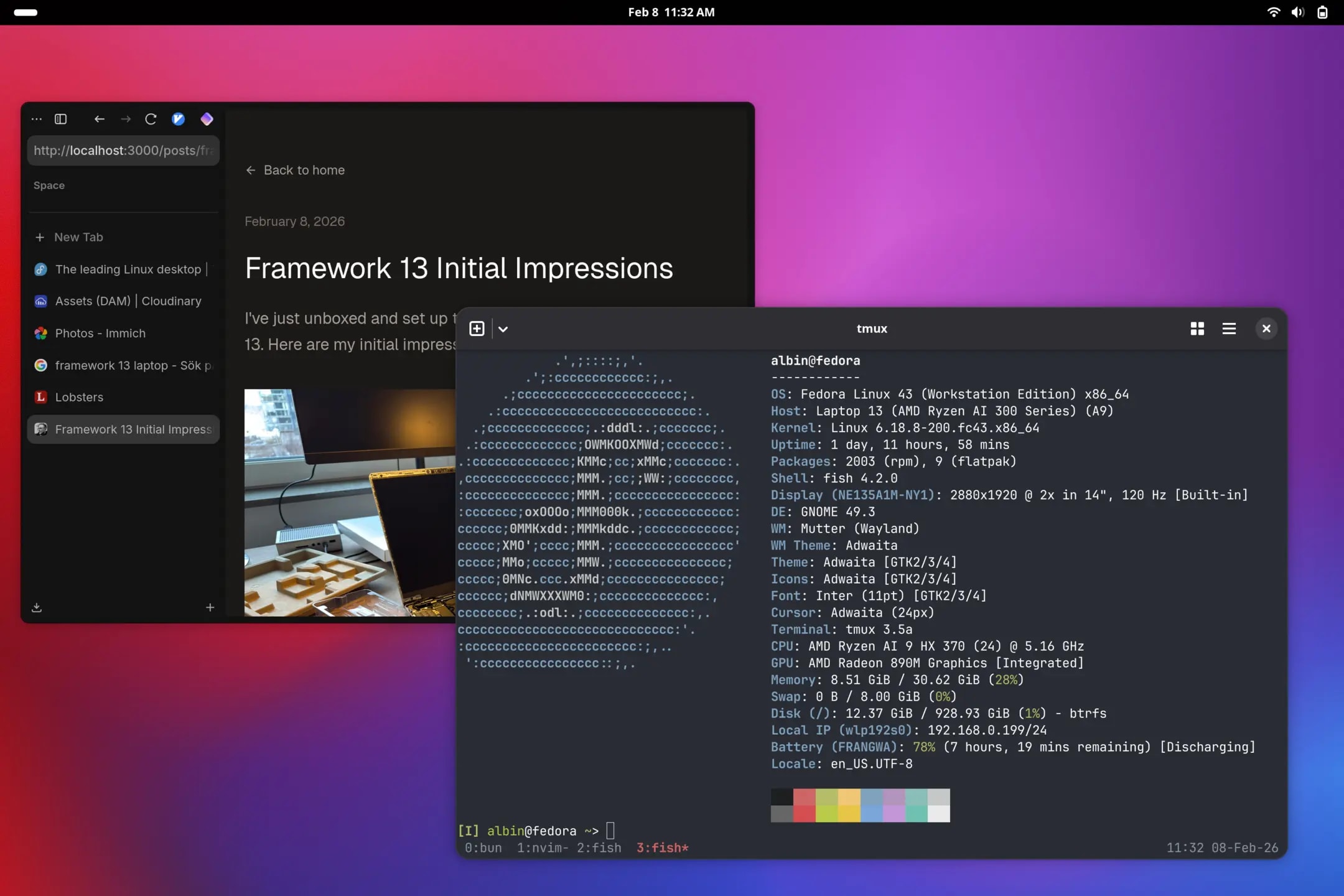
Alright, let's get to the software part. I opted for Fedora 43, since that's what they seem to recommend, and it seems like they've collaborated quite a lot with the Fedora team to get the software-hardware integration good.
I've been exploring many Linux distributions recently, and Arch has been my favorite by far. Fedora is good, but I don't like their package manager. Pacman is way better. But I thought, let's go with what they recommend, and have official guides on. And, as expected, it went without many issues at all. I simply downloaded a Fedora 43 Workstation (Gnome) ISO, flashed it to a USB with Balena Etcher (from my Macbook). Then I plugged it into the Framework. Make sure you either have a USB-C thumb drive, or order a USB-A adapter for your Framework. Otherwise, you'll run into issues here.
I booted the laptop. Nothing happened. Hmm... I think I'm used to Macbooks coming pre-charged out of the box. This wasn't the case with the Framework though. So, I plugged in the power adapter (which I accidentally ordered 2 of), and booted. This time it worked, and since I didn't have Windows installed already, it booted straight into the Fedora installation experience.
After installing Fedora, I began setting up my laptop. Starting with the fingerprint reader. This has caused me a great deal of headache before, on other distributions and laptops. But, after a few attempts, it registered, and now I'm set up with fingerprint authentication, which works flawlessly.
The display
After using the laptop for a few days, I think my favorite part by far is the display. The resolution is great and the 120hz refresh rate makes the OS feel buttery smooth. I'm using fractional scaling at an even 200%, and using Gnome tweaks, I set the fonts' "Scaling Factor" to 0.8. This came from the Framework Fedora post-installation guide. This feels more what I'm used to on macOS. It is worth noting though that this doesn't work in all applications, and this is a core problem on Linux I think. Unless you stick to applications which use GTK (I think?) this won't take effect. This is what I don't like with linux. If you install 5 different apps, they might have 5 different window control icons, font rendering and sizes. Not great. But hey.
Summary
This feels like a great laptop, and I love the fact that I'll be able to incrementally upgrade it in the future, when the Framework team releases new parts. The company's philosophy aligns with my values, and I think I'll be using the laptop for a long time. I can only recommend others to give it a shot!